
Forum Replies Created
-
AuthorPosts
-
in reply to: EN Repairs 25 #14145
Hi Nishit, thanks for your #14144 actually the Pay Now button is Activate Now button which is correct and we do not need to change anything there.
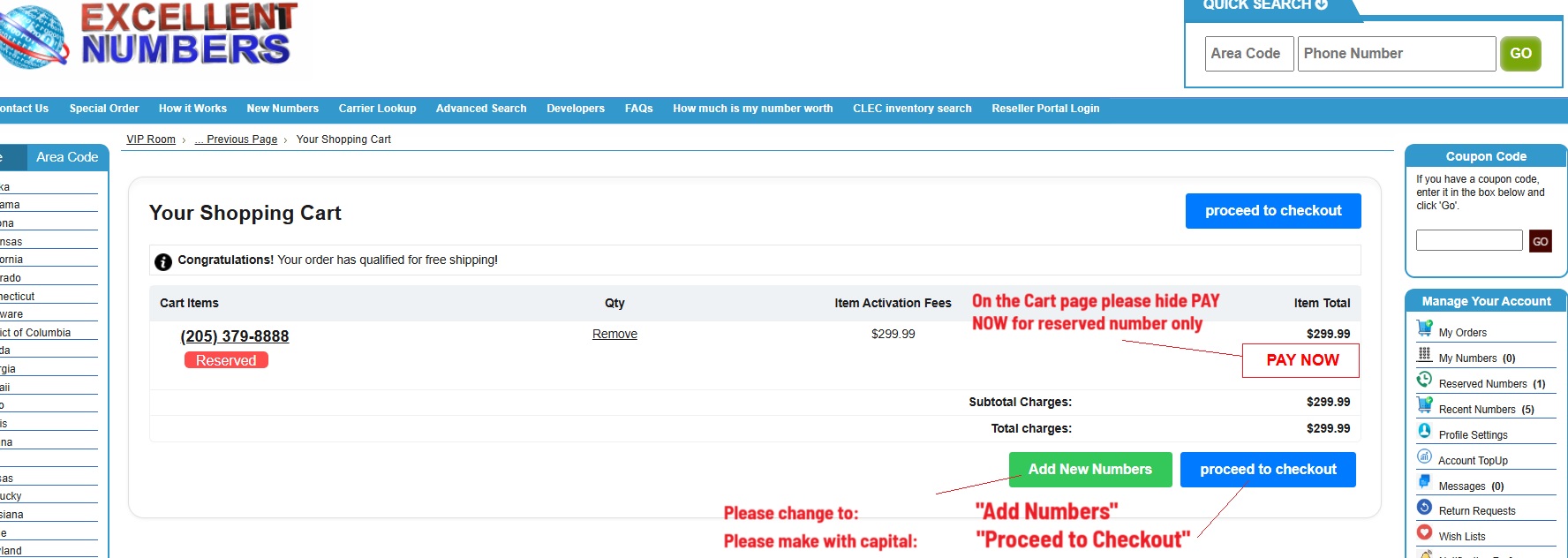
If you just look at this picture attached https://webmaklay.com/wp-content/uploads/2025/07/Cart.jpg you can see Pay Now button and below Proceed to Checkout so site admin question was if we can hide Pay Now button on this page ONLY https://webmaklay.com/wp-content/uploads/2025/07/Cart.jpg as we have Proceed to Checkout button as well and this confuses some clients. No need any functionality changes at all 😉
Please advice
in reply to: EN Repairs 25 #14143Hi Nishit there were two more tasks added to this job.
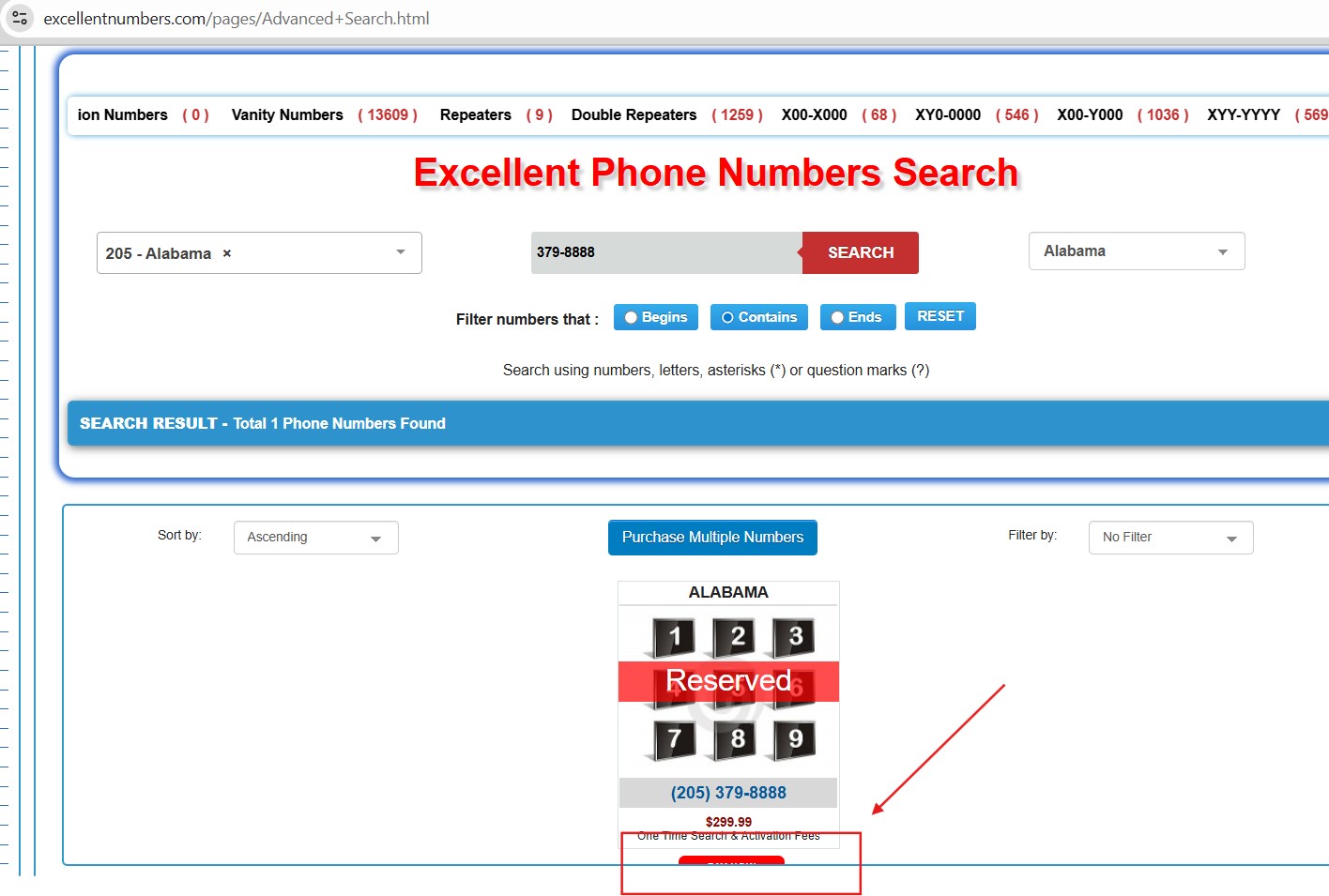
🙂in reply to: EN Repairs 25 #14139In addition to above repairs please aslo could you fix this: Reserved numbers when found on advanced search the button below not display correctly and ppl strugle to procceed. Please see this screen shot: https://webmaklay.com/wp-content/uploads/2025/07/RESERVED.jpg
in reply to: EN Repairs 25 #14135Hello Nishit thank you for your updates appreciate it!
While you on Lost Order task just sending you some site admin comments if you can add them when you able to:
When customers have got reserved numbers and decide to pay for their numbers they click on reserved numbers PayNow button and this is all good. However when they on the cart page we still can see reserved number and Pay Now button again. So here could you please hide Pay Now button when customer pays for reserved number as it is a second Pay Now link in reserved numbers purcashing process.Please note: We need you to hide Pay Now button ONLY on the reserved numbers cart page and no where else. Please see screen shot attached. Also for the bottoms – site admin love your design just if you can edit a text for the buttons as on the same screen shot below:
https://webmaklay.com/wp-content/uploads/2025/07/Cart.jpg
this is only adjustment requested and some other requests will add in the same job as additional tasks.Kind regards Andrey 😉
in reply to: EN Repairs 25 #14132oh sorry got your Lost Order task, the changes for this task is taking effect on the cart functionality. I reverted the code for now.
in reply to: EN Repairs 25 #14131Thank you Nishit would you please let me know what was the Number Cart Error issue caused by?
in reply to: EN Repairs 25 #14128hi Nishit we have found 0002 number used for an othre order, but we still waiting for you to fix the error https://webmaklay.com/wp-content/uploads/2025/07/error.mp4
plese when you come fix it asap we whole day reciving complains from the EN site users
in reply to: EN Repairs 25 #14126Hello Nishit thank you for your video report i can see that numbers activated successfully. I will examine this video again with EN site admins and get back to you if any questions or feed back from them.
At this stage i have got one question: Would you please advice if you have activated 305.555.0002 number from #14115 as i haven’t seen it, is the 305.555.0002?
The reason im asking is that EN site admin sent us a error that now they can not manually add numbers to the cart (the process on your video https://excellentnumbers.com/temp_vid/Screencast_from_2025-07-08_15-28-11.webm starts at 0.36 and finishes at 1.03 min) when customize pop up open and we add Name/ Number, SCU and fees price we click on “Add item” button the process got freezes and we can not complete adding a number can you please check it asap as EN production stopped due to this issue and their customers waiting.
Same for customers – they can not add numbers to their cart from their front end interface.
I also can not see in your message that you have uploaded any changes / files or any repairs from you side that may cause this error to appear.
From an other hand i can not see when you used 305.555.0002 number (probably i missed something) and im guessing that you might have used 305.555.0002 number for your trail and found a error and done some code adjustments that cause the Adding Number to the cart issue to be happened?
Any way could you please urgently fix this as site administration ppl very confused why it has happened and they think we broken something again.
When you fix it could you please let us know the reason why this error happened?
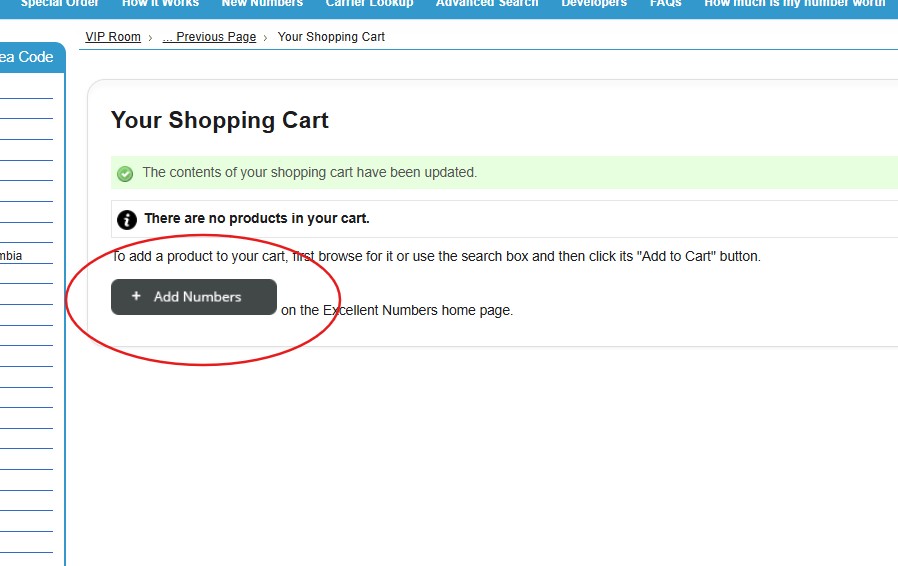
in reply to: EN Repairs 25 #14124Hi Nishit could you please change this button as well https://webmaklay.com/wp-content/uploads/2025/07/shopcrt.jpg
in reply to: EN Repairs 25 #14122thank you Nishit!
in reply to: EN Repairs 25 #14120Hello Nishit i have got a feed back from EN team, for your #14118 test could you please do the following:
Please do same steps as in #14110 but in one order please buy several numbers also add those in #14115 plus add couple more from EN inventory (cheap ones). Then see if you can reproduce any errors?
Kind regards Andrey
in reply to: EN Repairs 25 #14119Hello Nishit thank you very much for your #14118 will pass it over to the site admins and get back to you if we missed anything this time. Please let me know if any task left from this job that needs to be completed.
Kind regards Andrey 😉
in reply to: EN Repairs 25 #14117Hello Nishit, thank you for #14111,
hopping you can find resolution for #14110 as well!Kind regards Andrey 😉
in reply to: EN Repairs 25 #14115Hello Nishit please try these numbers below;
305.555.0001
305.555.0002
305.555.0003
for the #14110 issue, site admin say that they have already created these numbers in Telinta so you can skip this step metioned in #14110.Kind regards Andrey 😉
in reply to: EN Repairs 25 #14114Hello Nishit yes thats what i have got from site admin if you can please change what ever mentioned in #14111nand will let you know if any othre instructions come.
For #14113 have you tried to put any numbers to repeat those steps from #14110?
If not can you please try any number and i will ask site admin if any specific numbers we can use instead -
AuthorPosts