

Arranging some more transparency with our vendors inventory, ensuring our customers data is up-to-date.
Vendors Search
Vendors Search
1.) We have created a webpage where please create the following search. (This page will be accessible by wholesale/resellers customers only. This option is already available at our store and I will add it.)
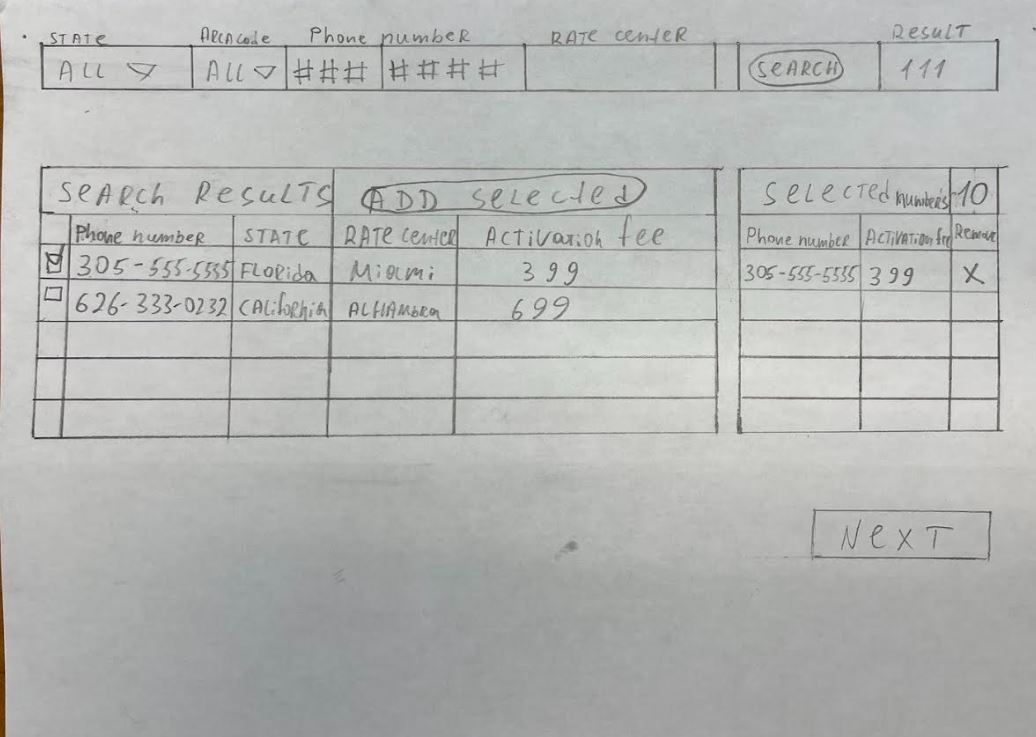
2.) It will be a different search than we currently have on our website. (Additional)
3.) Wholesale customers will be able to search numbers that currently available in our vendors’ inventory: Peerless Network & Inteliquent.
4.) Please note that when the API call is going to our vendor, they should see only NanoTelecom who is requesting the answer, NOT the Excellent Numbers.
5.) No need to divide by pages. The results must be scrollable.
6.) Limit the results ~ max is 1000 numbers.
7.) Create settings in admin so admin can make changes. Like:
a.) Limit total numbers request. Like 1000, 5000 etc.
b.) Check connectivity
c.) See how many total phone numbers vendors have.
d.) Which vendor the API will be sent. (I can choose all or 1 by 1.
d.) Area code or state are mandatory for search or not.
8.) Activation fees won’t be via API, as our vendors don’t have it. You can use our engine which is on the page “how much is my number worth” to show the fees.
9.) Check out will be different than we have. They can only pay for these numbers using their store credit.
10.) Functional:
a.) When a customer clicks at the search button, the API call is gong to our vendors and return the results. If there are any errors, then it should be letting the customer know. If it takes too long, there should be a timeout. (Admin should get all error notifications.)
b.) Vendors are working in different ways. Let’s say when we send API to Onvoy, they send results but the numbers in the results could be taken by others at any seconds and they become unavailable. Peerless reserve (locked) the numbers they send via API so nobody can take it before our customer decide to buy or not. So please read their API documentation carefully and implement into our website correctly.
c.) Once customer clicked on the “add selected numbers” the API should go to our vendors to reserve these numbers. (Not purchase, just reserve.)
Once our system charged the customer using their store credit, then the final API should be sent to our vendors to purchase the numbers.
Note: if you have any better scenario, please let us know. This is the best we came up as for now.
Supportive Documentations: Peerless & Inteliguent
Numbers Price Addon
Numbers Price Addon
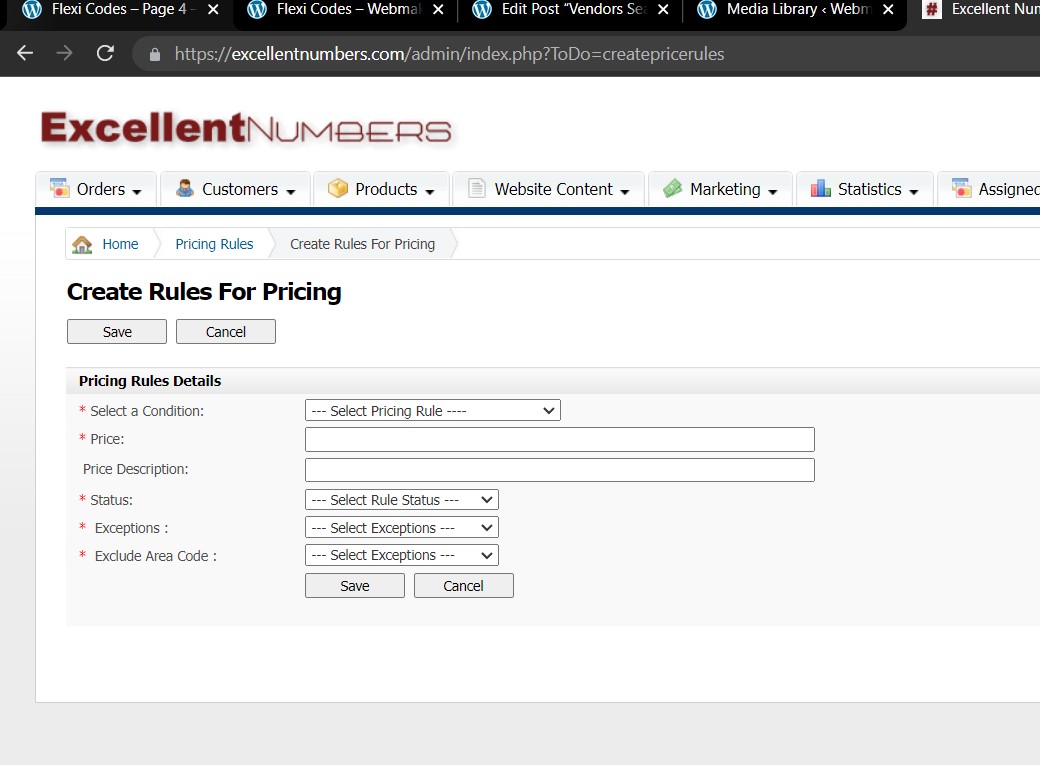
Thank you for developing numbers price settings for EN project however we found that there are some rules and exceptions that we pre set in it may conflict with each other or simply unable to resolve the target we plan for some specific numbers. This is why this new task addon originated: – please create an additional filed for site admin to create a rule for entire 10 digits number including its area code.
So allow admit to create a rule for a individual phone number and once it has been picked the price displays exact price (including, message) for such phone number set.
Client ID
Client ID
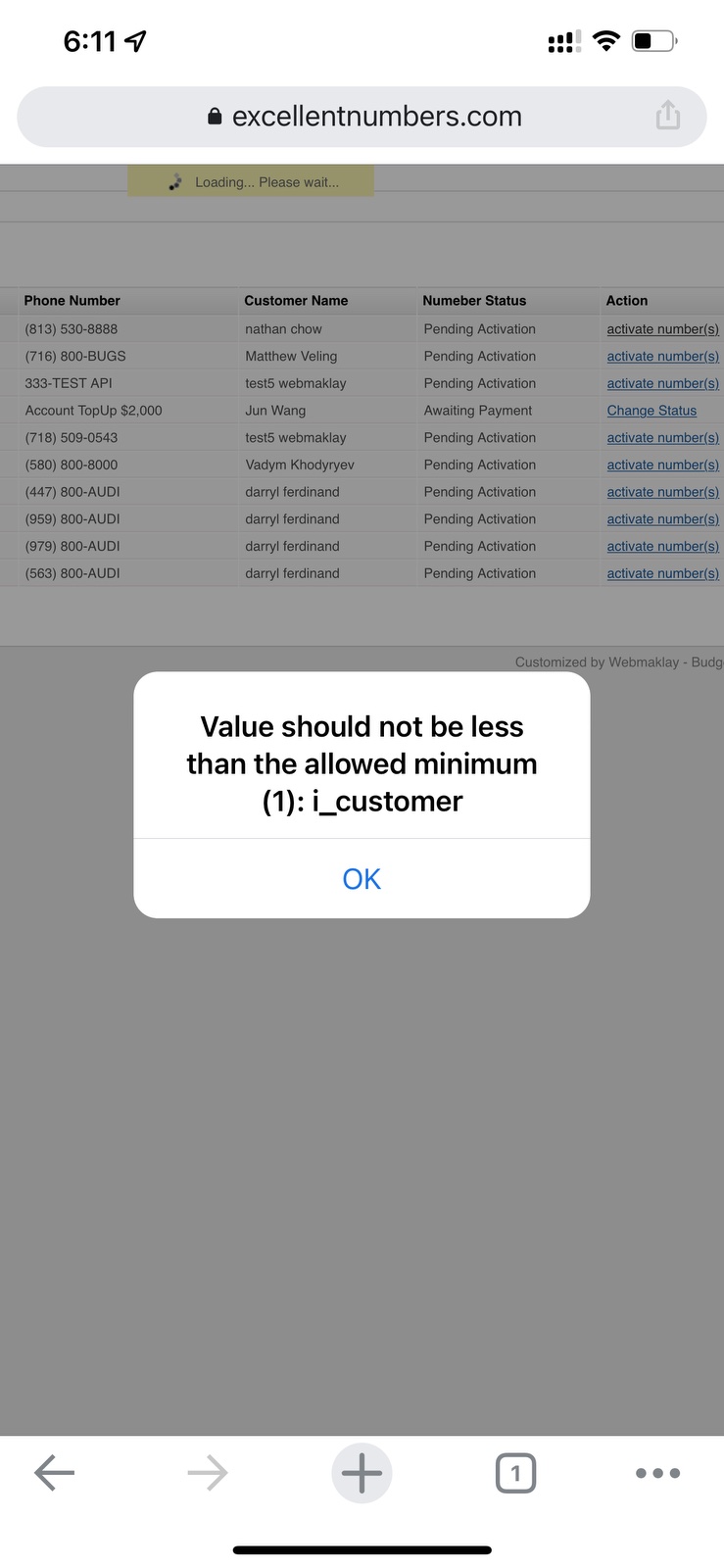
When admin activates numbers it works good and numbers being activated on Telinta via API to Excellent Numbers client. However if the client is not in Telinta system does not activate such numbers due to missing client ID parameter see screen shot below.
In this task please add the following exception: – If client is not in Telinta by default let the numbers being activated to Telinta’s Excellent Numbers Client ID. Please ensure that site admin able to activate all the numbers from EN backend for all the clients (including those that are not in Telinta) to Excellent Numbers Client ID by default.
New Numbers Widget
New Numbers – Widget Block
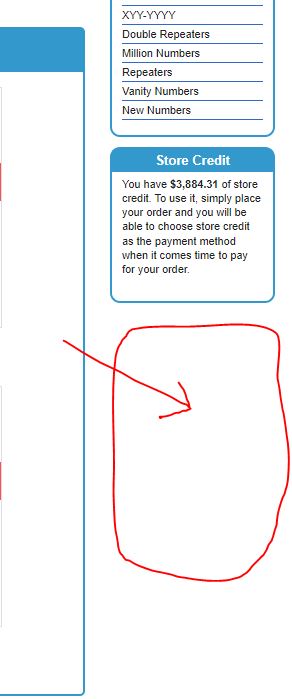
Please create a New Numbers widget block under store credit widget. The new number widget should display latest 12 numbers uploaded on the site. Please
keep the widget same EN style and design so it looks the identical to other widget blocks on the site. Please ensure that widget content ” new numbers = latest 12 numbers” has very attractive look.
We used to have a new product widget on our EN shopping cart platform please check it on the site library as you may use it for your start up.
PHP V# Upgrade
PHP V 8+ Upgrade
Please continue on PHP v upgrade this is a second part of the job with additional budget added.
Top 20 Customers Upgrade
Top 20 Customers / Upgrade
Please upgrade the page for top 20 customers display. On EN admin / statistics / store overview – top 20 customers tab. The Tap display top 20 clients and their spending it allows site admin to see which customer spends more to assign more deals and coupons for such customers to appreciate.
Please upgrade this tab to allow site admin to view all site customers and their spending for all time being with EN. Please make 20 top customers looking apart from the rest of the site members, you can highlight top 20 with different color or flagged so they can be always focus while searching other customers across its DB.
Please check why some of the customers repeating in the list we do not need it so if it is a bug please fix it.
New Numbers – Filter addon
New Numbers Filter Addons
c) Mobile site site admin did not mean to display see more button please remove “See more” button but leave its content displayed static wrapped in the site style frame. Also the “Popular” link change to “Popular Categories” and make this link expandable with “+” icon in front of it and when clicked it should drop down with all “Popular Categories” and when clicked on “-” it wraps up all drop down. Please see screen shot attached: https://webmaklay.com/wp-content/uploads/2022/07/Mobile-See-More-Wrong.jpg
g) please add filter to the New Numbers page as it does not have a filter please see screen shot here:https://webmaklay.com/wp-content/uploads/2022/07/New-Numbers-Filter.jpg
Coupon Code Selection
Coupon Code Selection
When site admin create a manual order on the site here is the flow:
* Search my existing customer list -> selecting client from the list then
* Click Next going to step 2 -> selecting number, after typing number -> selecting number then
* Click Next going to step 3
* Click Next going to step 4 and here we need to put a coupon code (please see screen shot below)
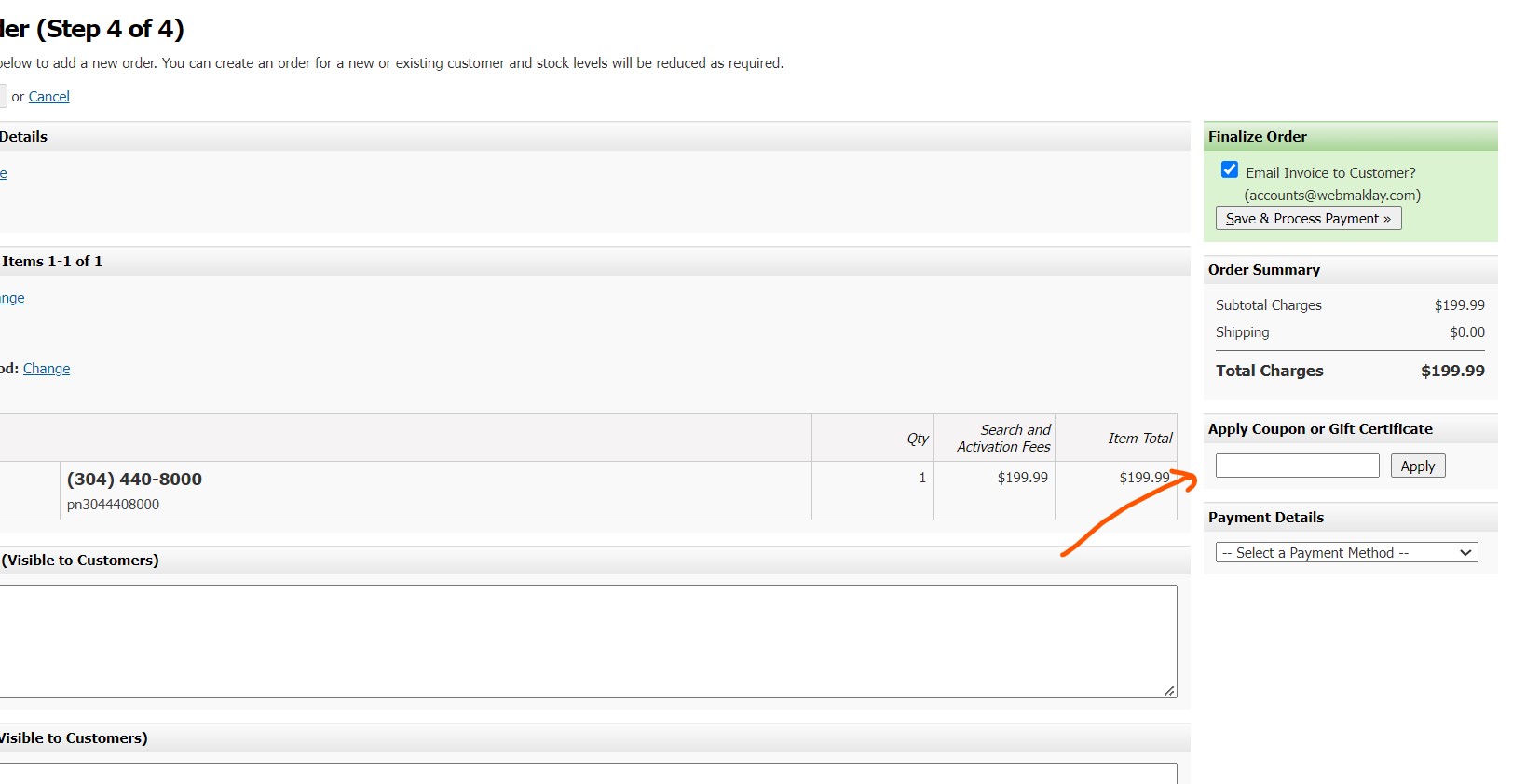
to find a coupon code that belongs to this customer we used to go to Marketing tab -> View Coupon Codes-> finding this particular client coupon code and then input this coupon code manually and complete this order.
In this task we would like you to create a little icon (after apply button) with Add Coupon Code message so when admin clicks on this icon the customer’s coupon code will be automatically added into the coupon code field.
Total Numbers Show Case
Notes: please make sure all work must be done on both desktop site and mobile. Also please test all tasks before reporting completion.
Good luck !




Leave A Comment