

Bringing more flexibility on to exciting functionality and scenarios, allowing side administration to edit control and moderate their project.
Qucik Price Change
Quick Price Change
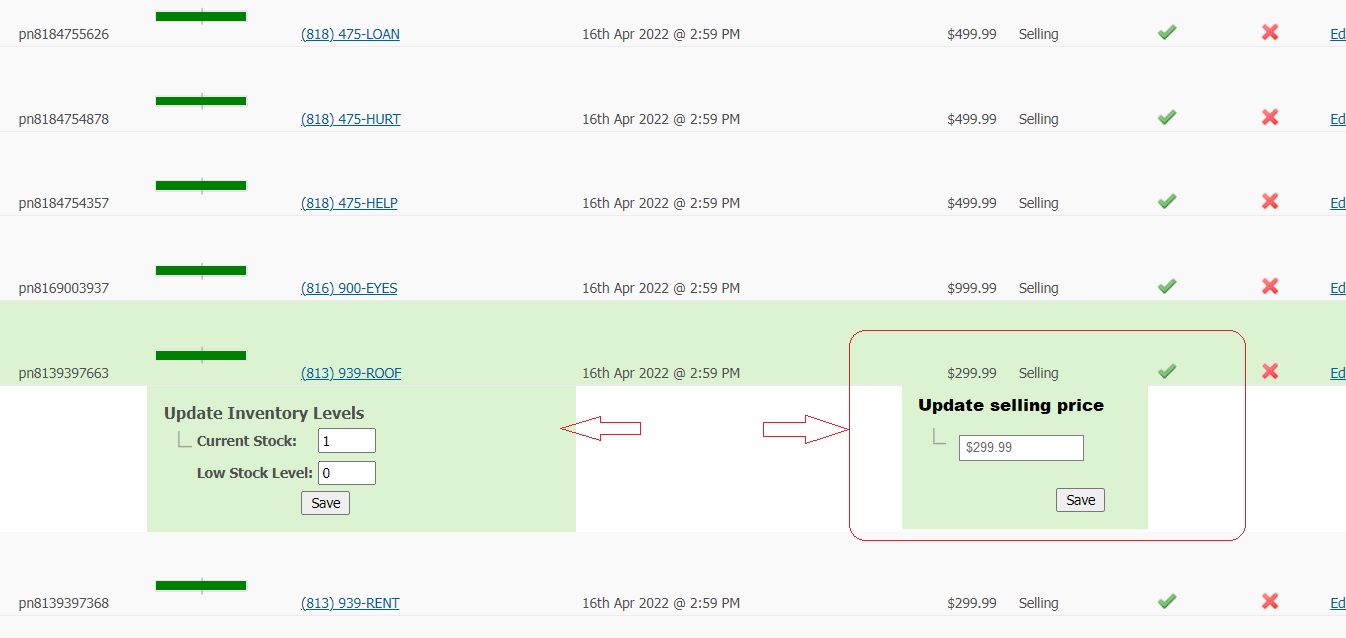
Site admin area -> Products, while expending any products the expand section allows us to quick change product stock level. In this task please implement quick product price in the same way as stock change done. Once price changed and saved the new price should be immediately displayed at the front end.
Assigned Phone Numbers Page
Assigned Phone Numbers Page in admin portal Excellent Numbers
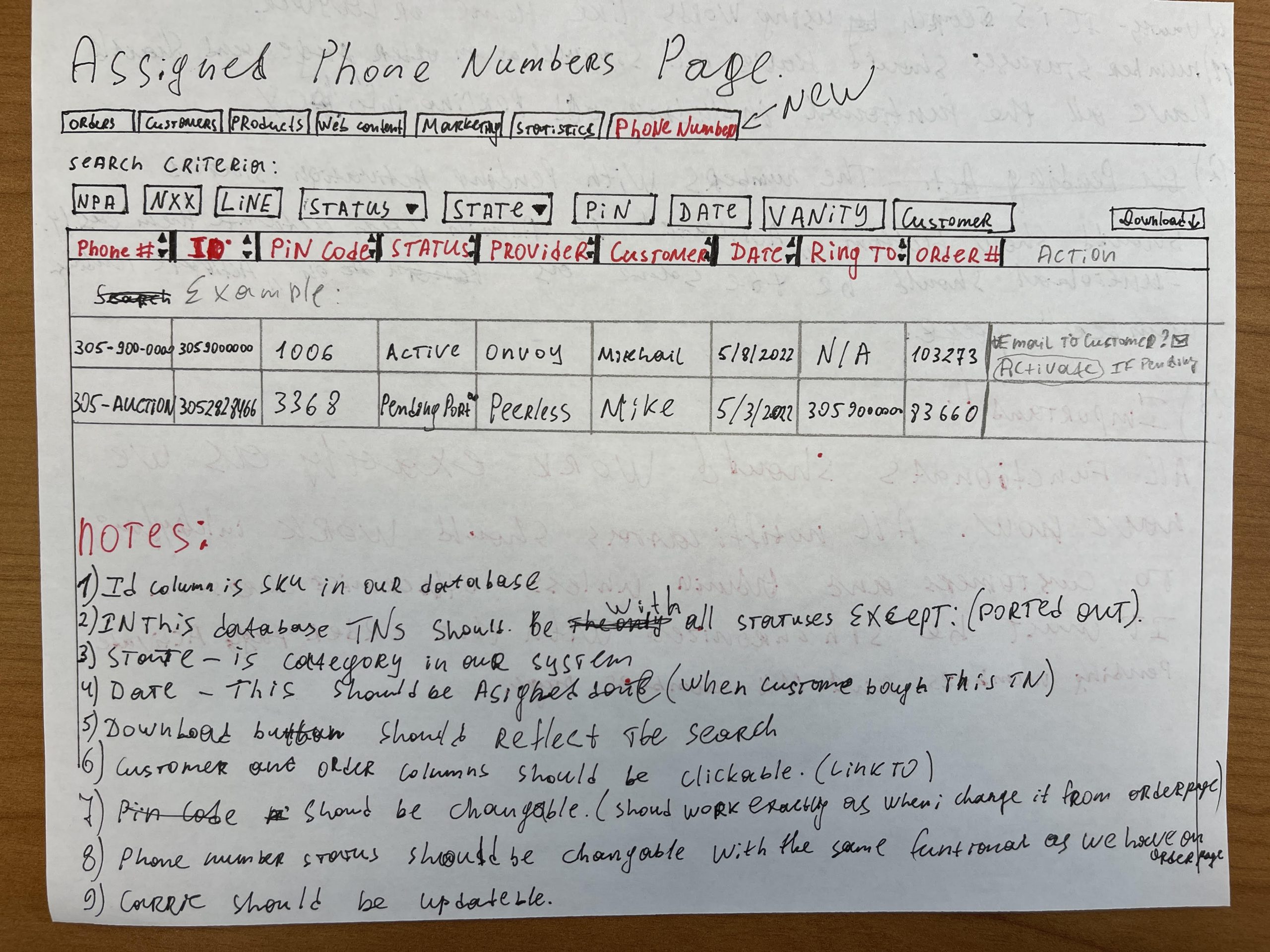
Please create a new tab in the admin portal where will be shown all phone numbers which have been assigned to our customers. (Image example is bellow.)
Notes:
1.) ID column is SKU in our current system
2.) In this database phone numbers should be viewable with all statuses but only those which was sold/assigned to customer.
3.) State – is CATEGORY in our current system
4.) Date – should be “assigned date” when number was sold/assigned to customer.
5.) Download button should reflect the search. Once downloaded, the file name should be assigned numbers and date like: assigned_numbers_5/8/2022.
6.) Columns: customer & order should be clickable. (Link to)
7.) Pin code should be editable. (With the same functionality as we have on order page.
8.) Provider should be updatable.
9.) Vanity – it is search using words like HOME, LAWYER etc.
10.) Status – in this tab should be TN status like we have on order page. (All functionality should be the same.)
11.) Numbers with “pending activation” status should show “activate” button in the action column. (This functional has to be exactly the same as we currently have on the order page.) So Admin can easily activate the numbers.
12.) SEARCH:
NPA – it is AREA CODE
NXX – it is first 3 digits of the phone number.
LINE – it is last 4 digits of the phone numbers.
If admin skip any digit, then the search should reflect it as “*” – any digit. If he enter
305-900- 000 then the system should show all found number like 305-900-0000, 305-900-1000 etc. In another word, if admin skip any box, letter or digit, the system should skip it as well and shout all results. If he skips entering the NPA, then all numbers should shown not considering the area code.
12.) IMPORTANT:
All functionality should work exactly as we have now. All notifications should work as they are working now, including those which are sending to customers and to admin unless otherwise is stated or entered on the “notification page” rules in the customer portal.
Everything must be synchronized including with order page, activate pending numbers and MY numbers page as well.
Notification Repairs
Notification Repairs
a) When site admin receives notification email Activation Status Unsuccessful in reason – please correct TN Status – IN Used to In Use (without “D”)
b) When site admin activates client’s number from Activate Numbers Page then site admin receive a successfully activated number notification but does not receive information copy of the successful number activation notification email (Phone Number Activated Congratulations) which goes to the client. Please fix it.
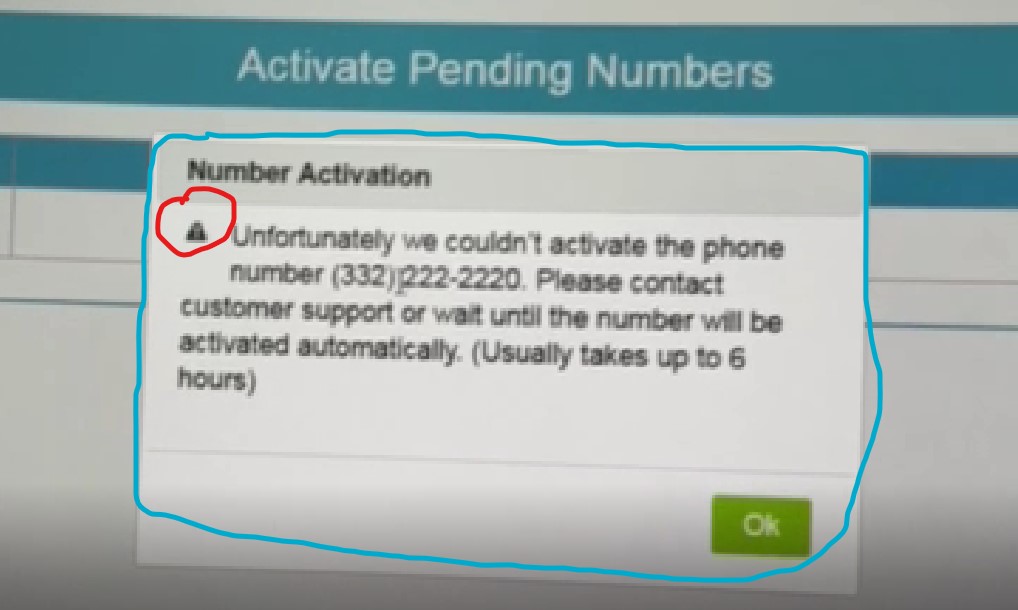
c) When client attempts to activate his number and can not the pop up message popping up – please upgrade this popup message so it looks more advanced: Please change the triangle warning icon (circled red below ) so the triangle warning icon is red color and good graphic. Please format text properly so it looks balanced and aligned. Aslo pop up window has a frame around entire popup site color so the pop up looks professional.
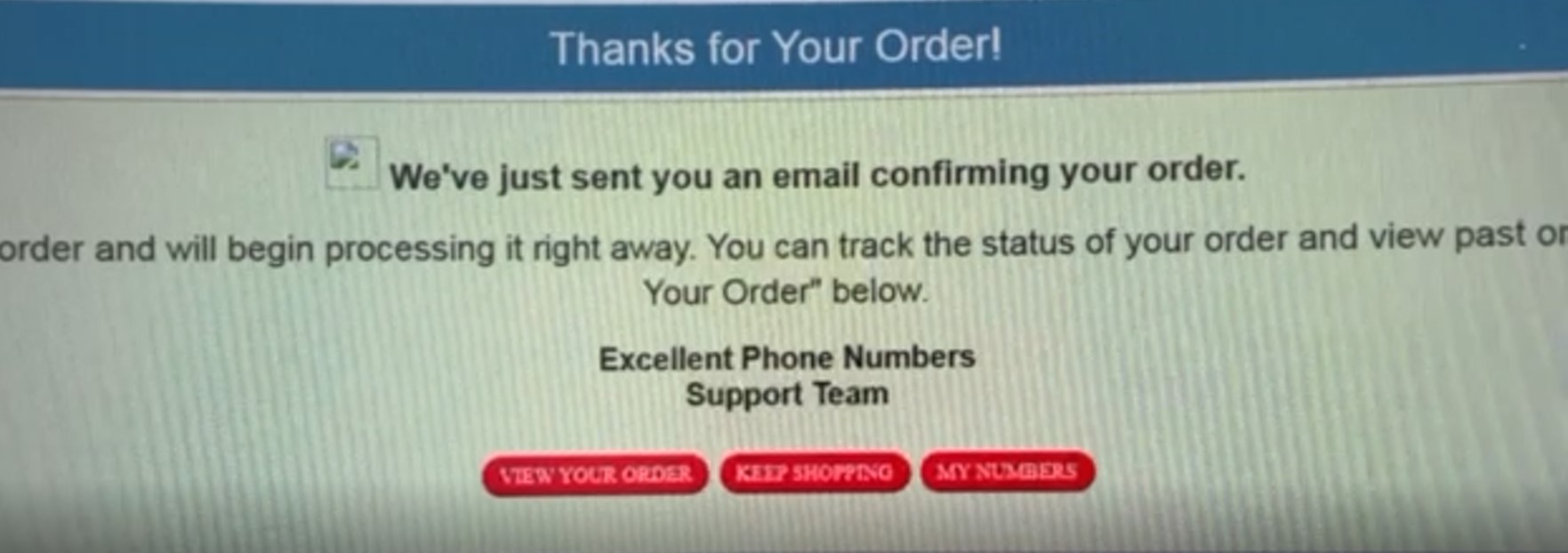
d) Finish order page: – also upgrade that page so it looks professional, see screen shot below the icon is missing, green background looks boring , red buttons to be replaced for more contemporary content and graphics.
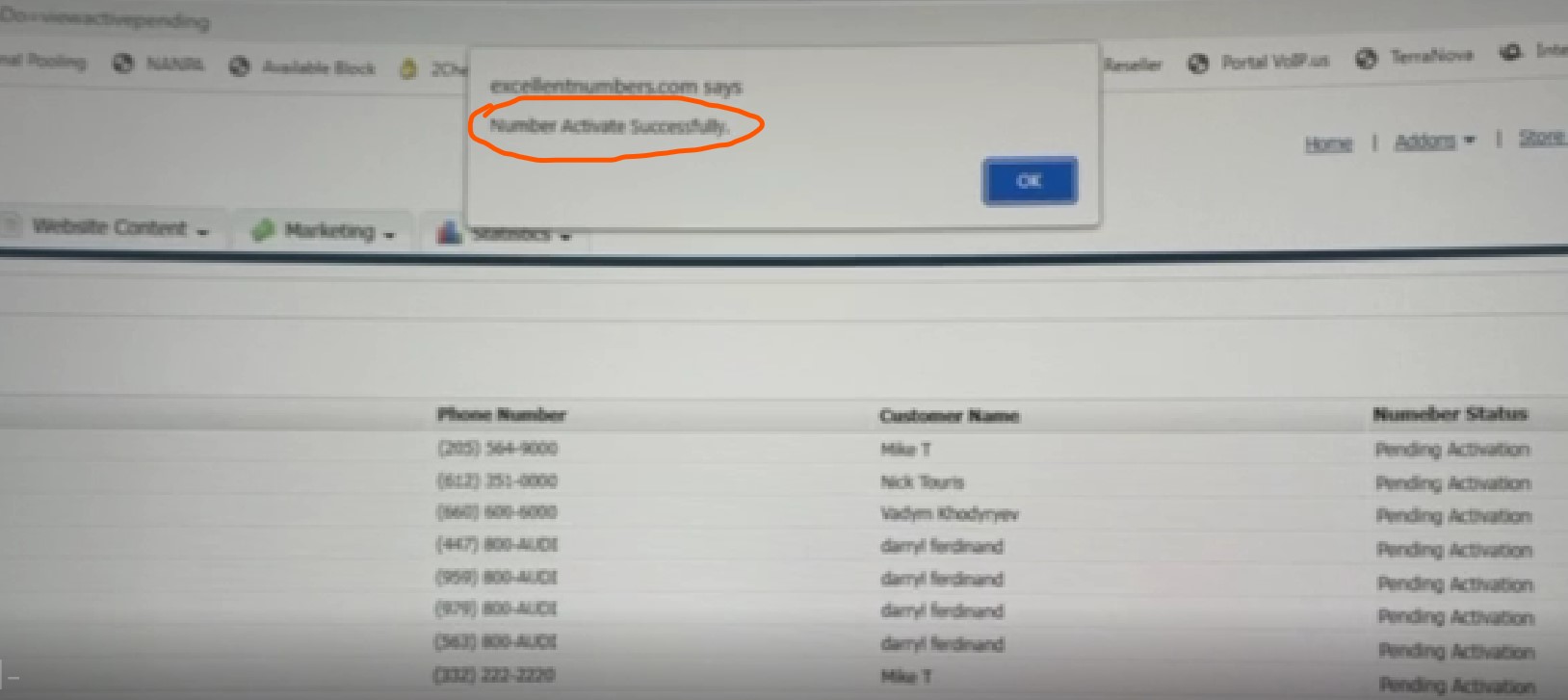
e) Numbers Activation Page Popup – when site admins activate the number from Numbers activation page see screen shot below the popup display the message ” Number Activate Successfully” please change this message to “The number has been successfully activated”
Number Profile Page
Number Profile Page
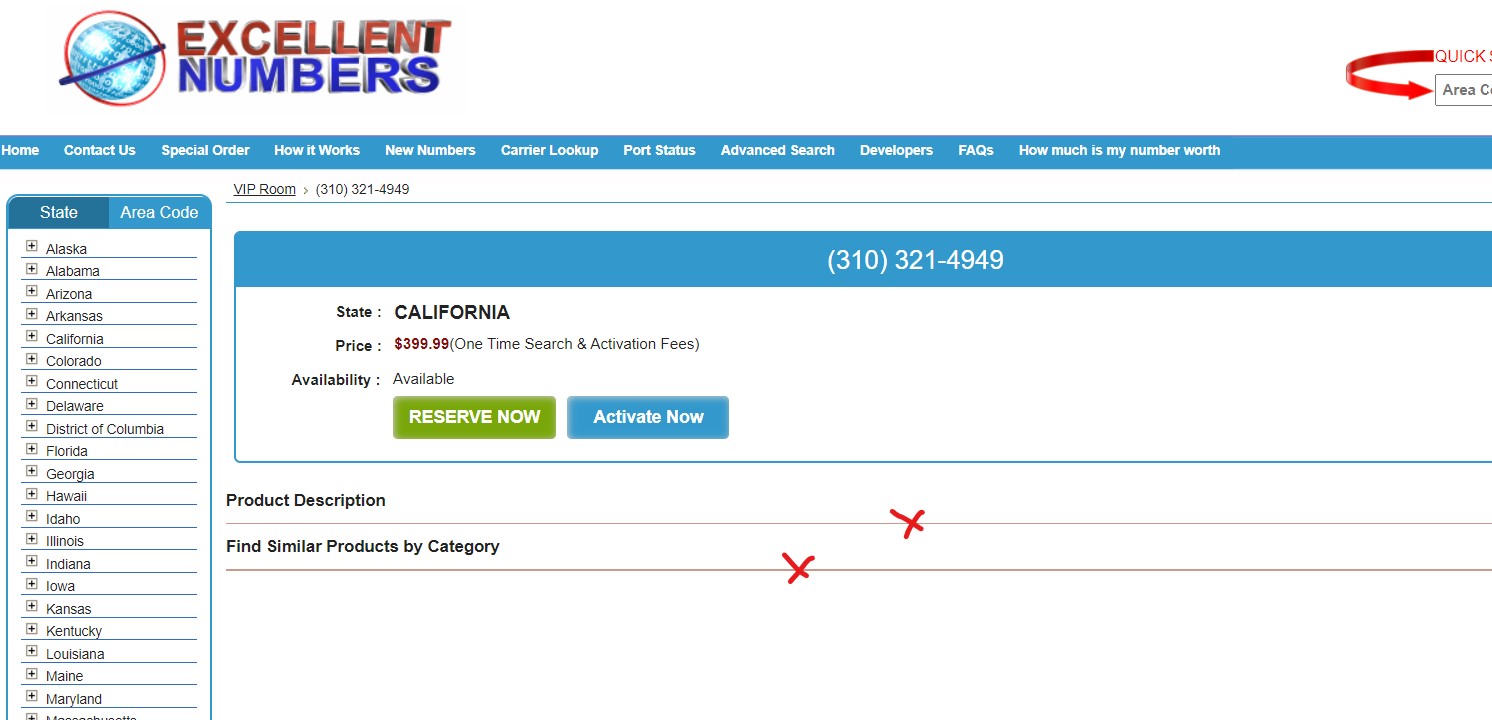
Please moderate number profile page as it looks very unprofessional. Please move both Products Description and Find Similar Products By Category inside of the blue frame. Please let product description only become visible when admin puts any description under the number, otherwise let it be hidden. Find Similar Products by Category – please change to Find Similar Number by State.
Please remove orange divided lines. Content Should be as:
PHONE NUMBER: (XXX) XXX-XXXX
STATE: State
PRICE: (same as it is)
CATEGORY: Category name
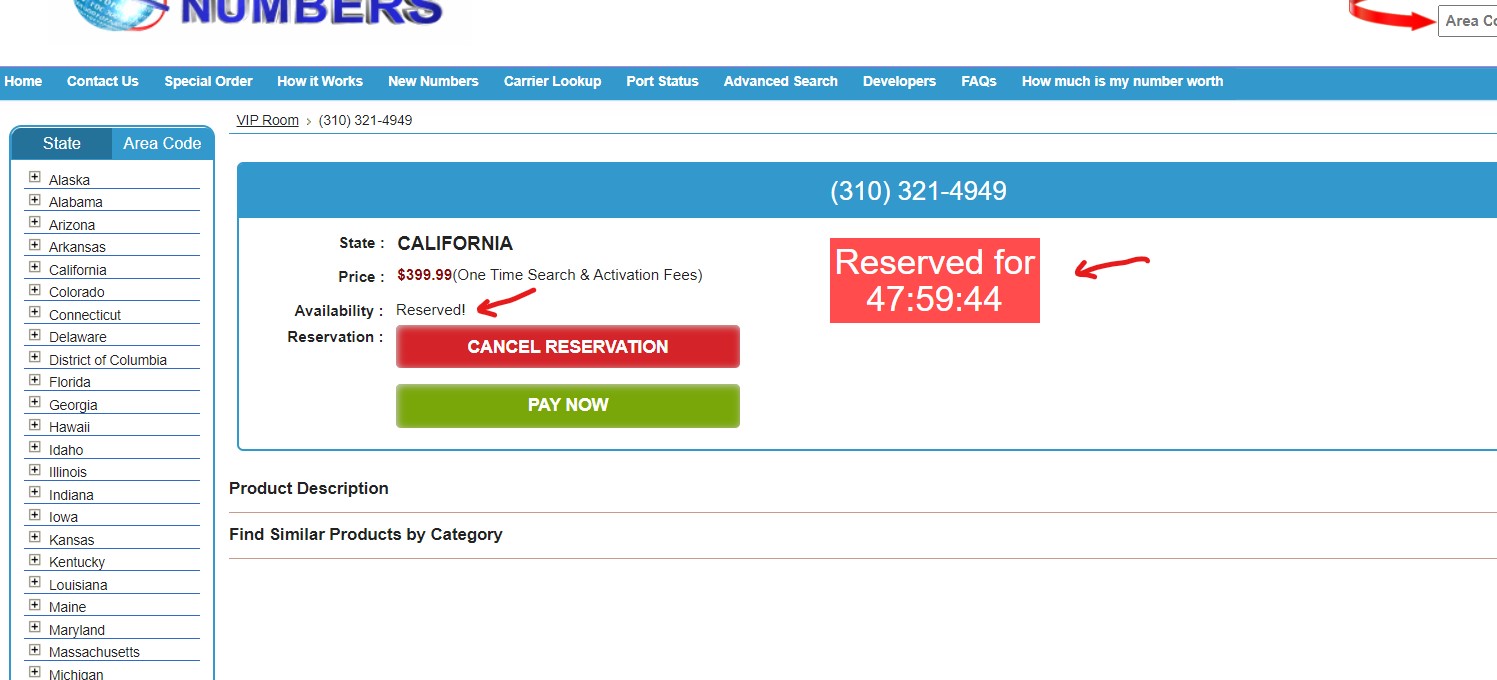
AVAILABILITY: Status (please remove exclamation mark after reserved).
Please position Reserved countdown in a better place so it looks great on both deck top and mobile. We trust your imagination!
Quick Search Improvement
Quick Search Improvement
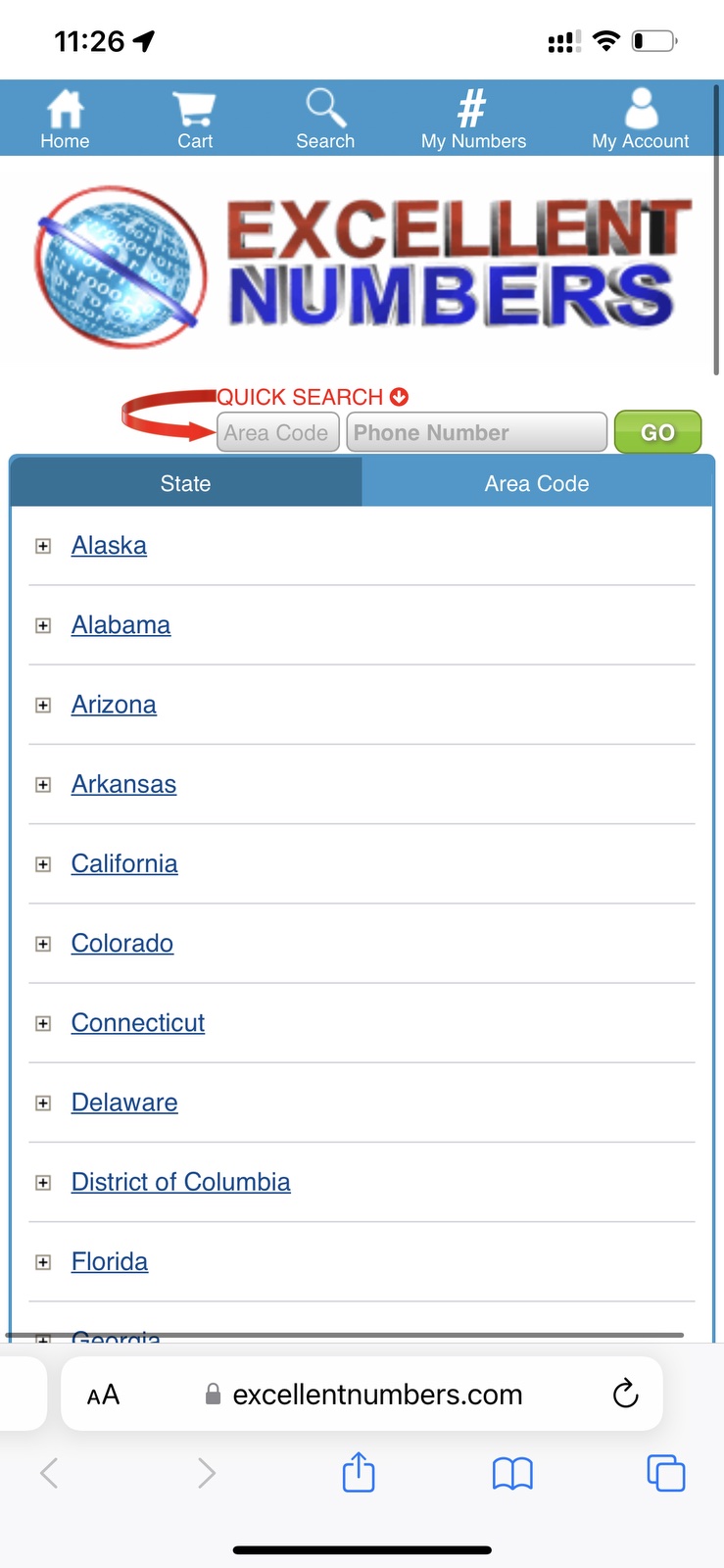
Please redesign our site quick search look so it matches site theme and styles.
Mobile Pages Menu
Mobile Pages Menu
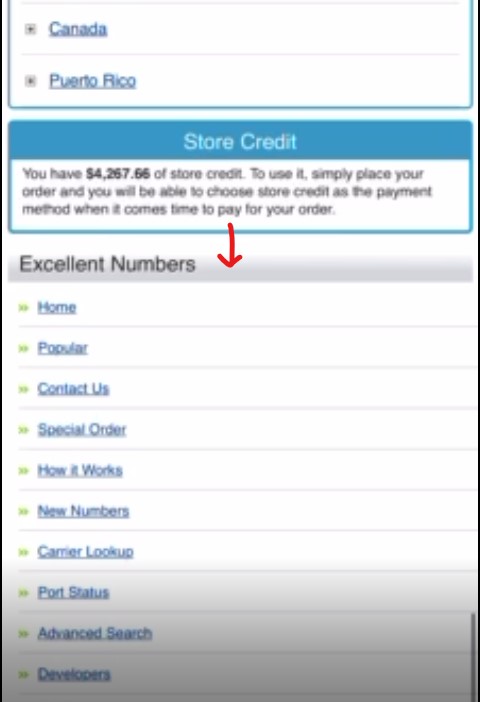
When we open mobile site and scrolling down the page we can see our site pages listed under your credit store frame. In this task can you please wrap this pages in the nice looking expanded menu so when the visitor wants to see / click more all those pages list expands. Please make a wraping button as well when customer clicks on close it wraps back to the nice looking icon/button.
Carrier Lookup Stream Loading
Carrier Lookup Stream Loading
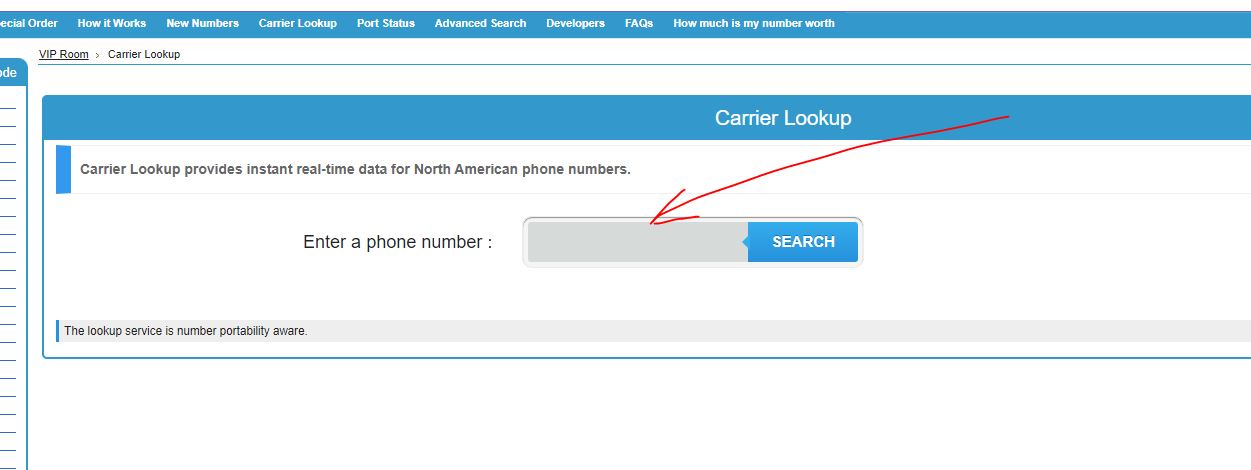
While customer checking currier lookup inputs his phone number and click search – the currier lookup takes some time to load the data. Currently we can see the loading gif before carrier respond then page is being reloaded and carrier information has been delivered.
In this task could you please enhance this process so the carrier lookup respond displays immediately on the same session without reloading the page.
Request input
Search Initiated
Requested information has been delivered on the same page – no page reloading require.
Latest PHP v# adaptation
Latest PHP v# adaptation
The current EN PHP version comes to its EOL season, please adopt EN project libraries to the latest PHP v# available.
Previously Done / Broken
Previously Done Broken
Some of previously tasks and comments addressed to developer still not complete or broken, please kindly fix all of them listed below:
API Library
Our resellers customers still complain that they can not see such numbers as repeaters and million numbers however all these numbers ticked to display for for our API users.
Sign In Sign Up
Since you created beautiful sign in & sign up forms here please remove/hide the old sign in page from here. Please update the top links accordingly.
Completed Orders
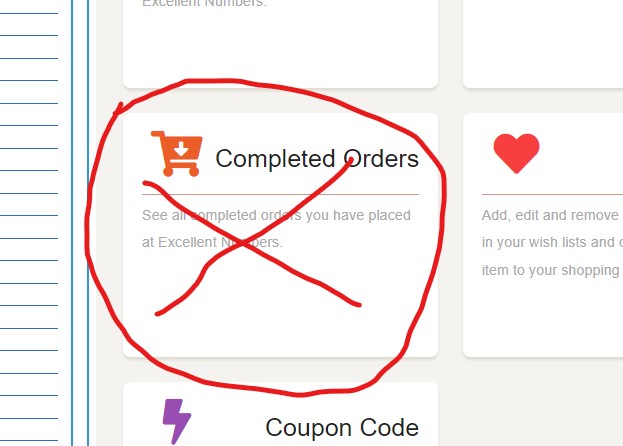
On My Account Page – Please remove /hide completed orders tab.
Purchase Multiple Numbers Error
To generate this error open any state link and click button Purchase Multiple Numbers, then try selecting some numbers by ticking the tick box, then if customer change his mind and clicked cancel all pre selected numbers have been removed from the cart and it is all right. But if the customer wants to select different numbers you can click Purchase Multiple Numbers button again and you will see that selection ticks no longer appearing so the visitors get confused can you please fix this error.
Yes the script works if we reload the page again but statistically most of our users are not aware of this and reporting bug on the site.
Reserved Numbers by Admin
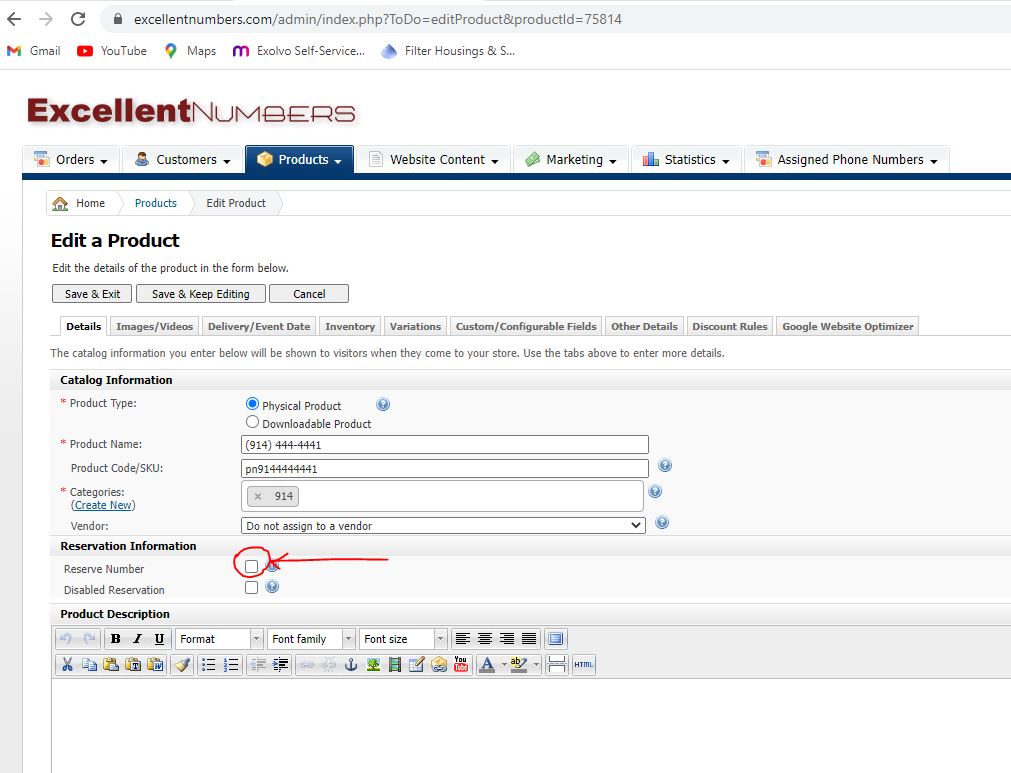
When site admin reserves any number from his admin back end such numbers should not get expired and must be remained reserved forever unless unreserved by admin. This feature stopped working for some reason. Please fix it.
Banner on new pages
a) We have a banner management area and if site admin selects all pages the banner should display on all pages but we now noted that banner shows everywhere but not being displayed on new pages that created by admin, we requested such job before but it is not working now could you please ensure that Banners shows on ALL pages available of EN project including top client menu pages.

On screen shot below it shows Activate Pending Pages (page that has been created by site admin) with no banner displayed but selected in banner management page.
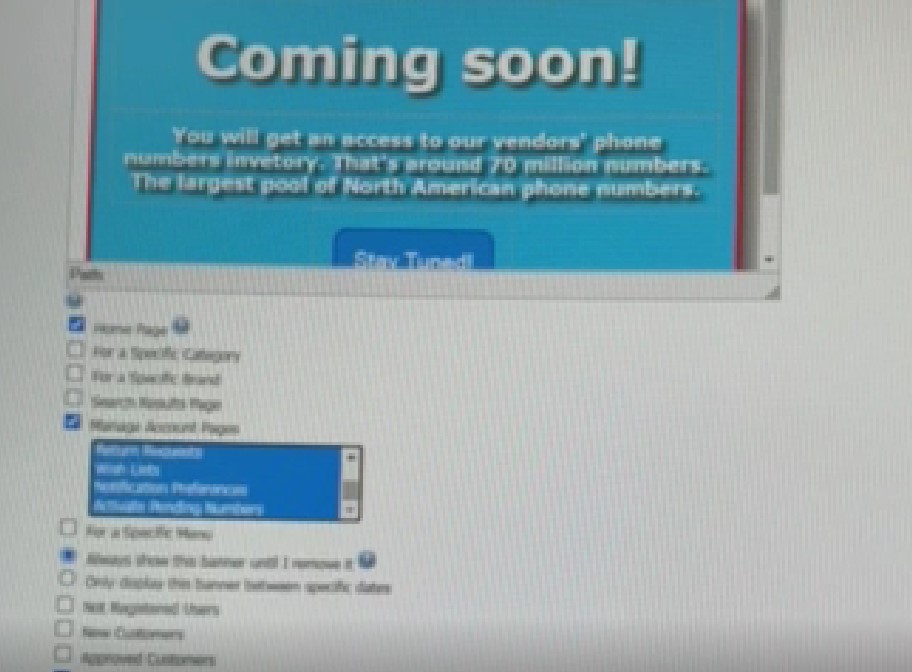
b) When admin selects those pages where each banner should be displayed this selection disappear every time when we open banner management page could you please set it this way that selection remain that way as admin set it up first time so we could see which pages are active for each particular banner, ( we did not do this job so we will add more funds to the task budget)
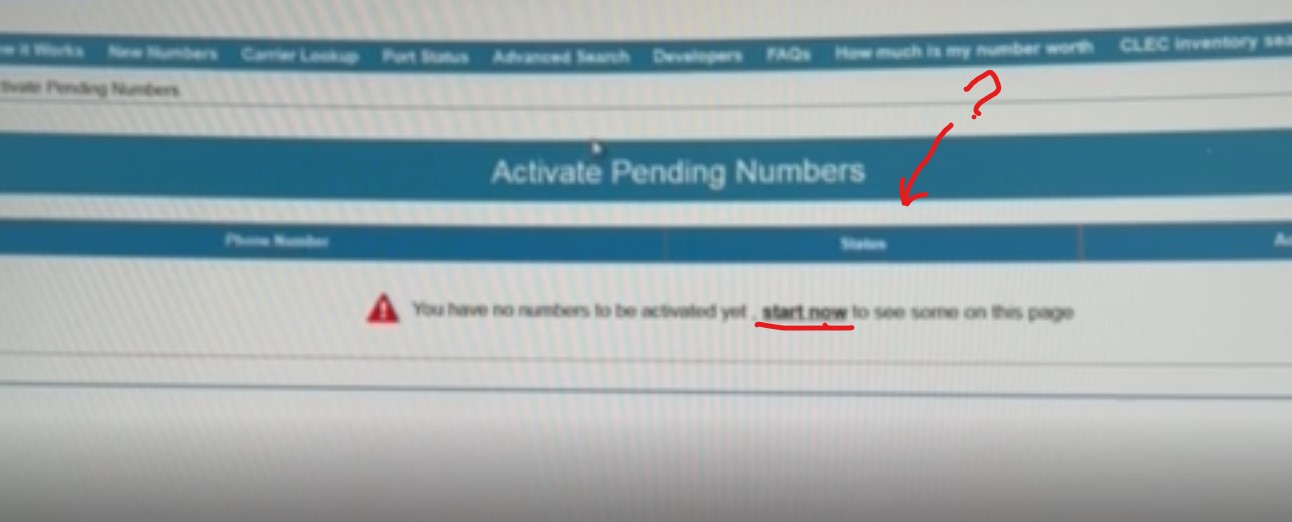
No numbers page links
AS we already mentioned if the site clients have no numbers and they visits such pages as My Numbers or Activate Pending Numbers we can see you done a message that you have no numbers and start buying them now it is all good but please adjust the following – “start now” change to “buy now” and link should go not to new numbers page but to advanced search page.
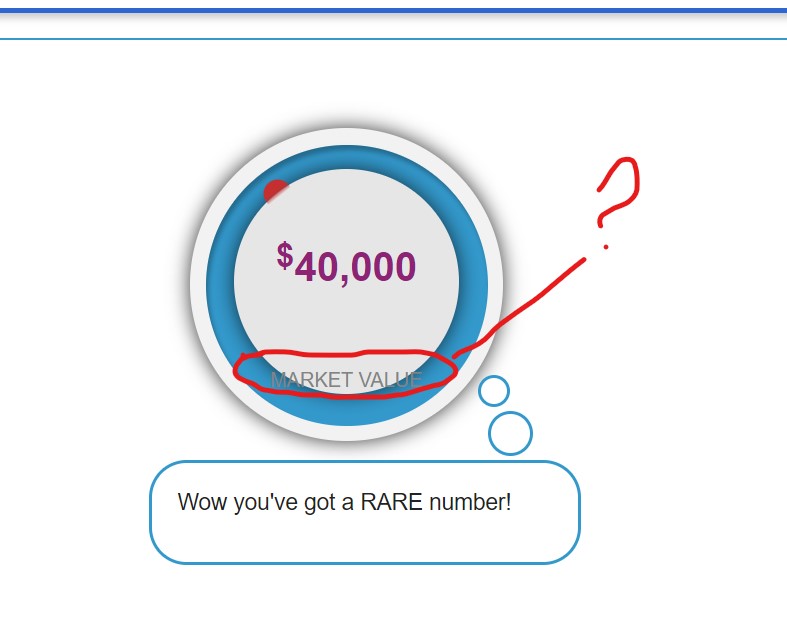
How much my number worth price circle
Our circle price we done and worked on that sometime but it still being displayed incorrectly, please take a look at this screen shot below and see how wording misplaced and not showing starlight instead of arch effect please fix it please ensure the wording looks nice for both top and bottom sides of the circle pricing.
Developers Addon
Developer’s addon
This is an additional pay added to your closing pay for your contribution mentioned in the topic 6502 (proceed on the button link for more details). We always appreciate when developers come up with some additions in project development.
Thank You
Notes: please make sure all work must be done on both desktop site and mobile. Also please test all tasks before reporting completion.
Good luck !



Leave A Comment