

Implementing some tools for the site admin email notifications management and customers traceability.
Notification Emails
Emails Notifications
On the EN project we currently have got multiple operations for our customers that can be implemented right from the customers login account.
In this task we would like customers receive notifications come from different emails addresses. To implement this task please develop a dropdown for all customers operations such as:
Orders:
Billing:
Port out:
Number reservation:
Pin code change:
Call forwarding change:
Account general changes:
Position this dropdown filed into Email Settings block, so site admin could indicate which FROM email address each particular operation notification should come to our customers.
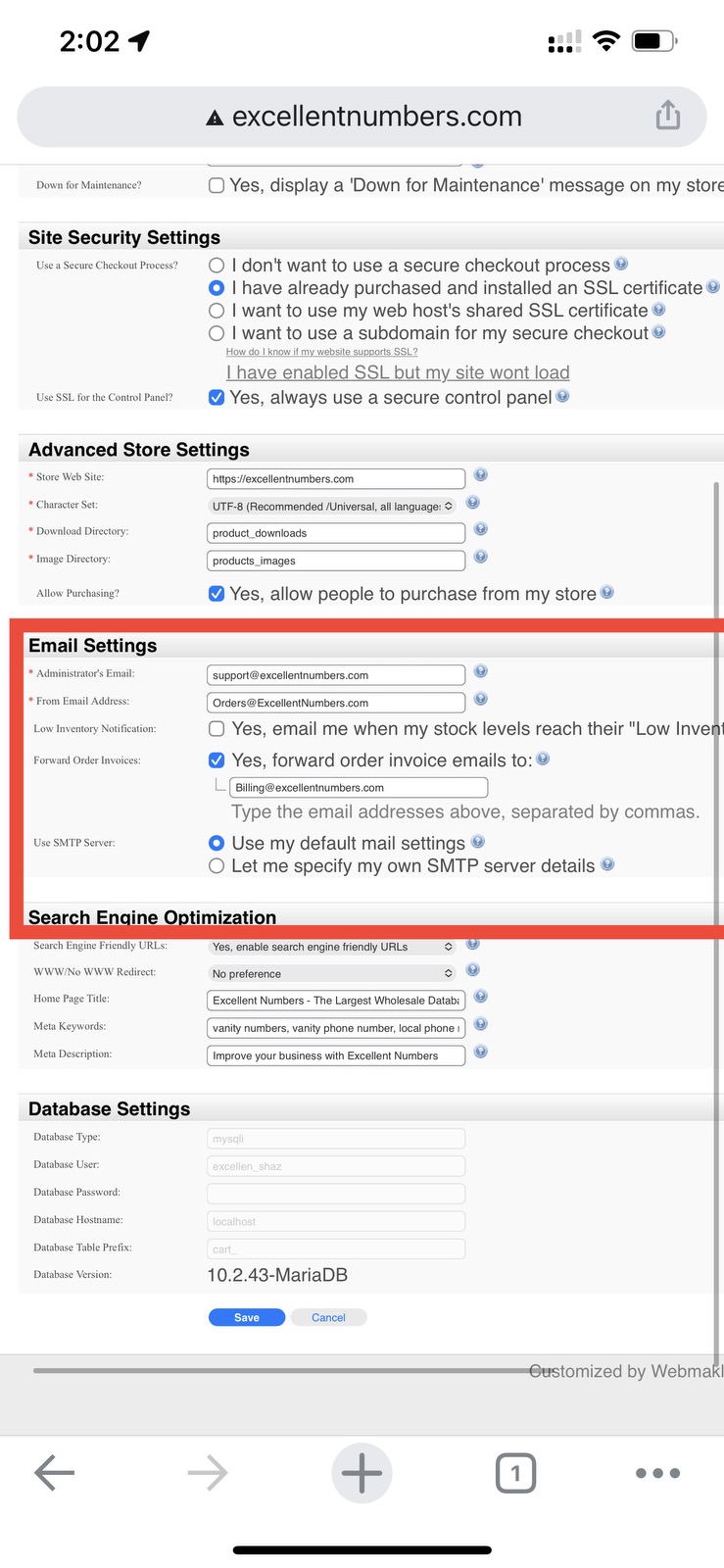
For example if customer change pin code from one’s account the notification email still goes to both customer email and hidden copy to the site admin but field FROM email should be exactly the email address that has been indicated in Email Settings , From Email Address when Pin code change selected.
Email Expire Date
Coupon Expire Date
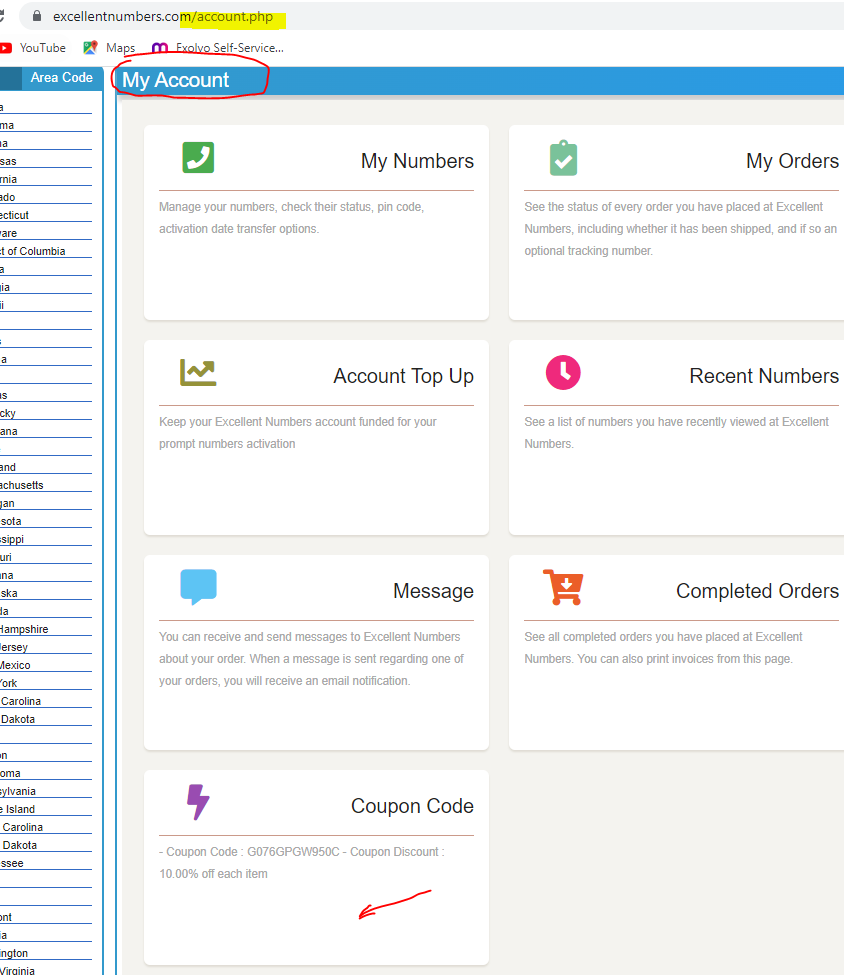
All our coupon codes on the site have got an expiry date. In this task please display each customer’s coupon expiry date down to the Coupon Code block which is on customers My Account page.
Create Account Upgrade
Create an account page upgrade
Our create account page looks old and outdated. When potential client fills out our account creation form it shows number of fields that are mandatory for completion however when complete the form still says that something is missing this has to be moderated. There also should be a company field input which is missing, so all the fields set accordingly in a contemporary look so visitors can easily create their account without any confusion.
Please remove red color from the description notes area, there may be an option to display these tips upon signup process as a top-up or memo messages see some samples here but you can develop your own not necessarily to copy.
Please make the page (signup form) looking modern different, user friendly, compact simple and more efficient.
Telinta Token
Using Telinta Token for API
Currently our EN site connected to Telinta via password which gets expired time aftre time and that causes problems to some of our EN site EN-Telinta operations. Once the Telinta password has expired we can recognize it from our customers complains who reporting us some faults while numbers activation , pincode updates and etc.
To reniew the pass we login to Telinta update new pass and then do the same on EN site on excellent numbers -> settings -> store settings -> Telinta to put updated password.
To resolve this issue please change our EN-Telinta connectivity from passwords to Token. To do so please Login to Telinta and enable token access which also needs to be developed on excellent numbers -> settings -> store settings -> Telinta directory.
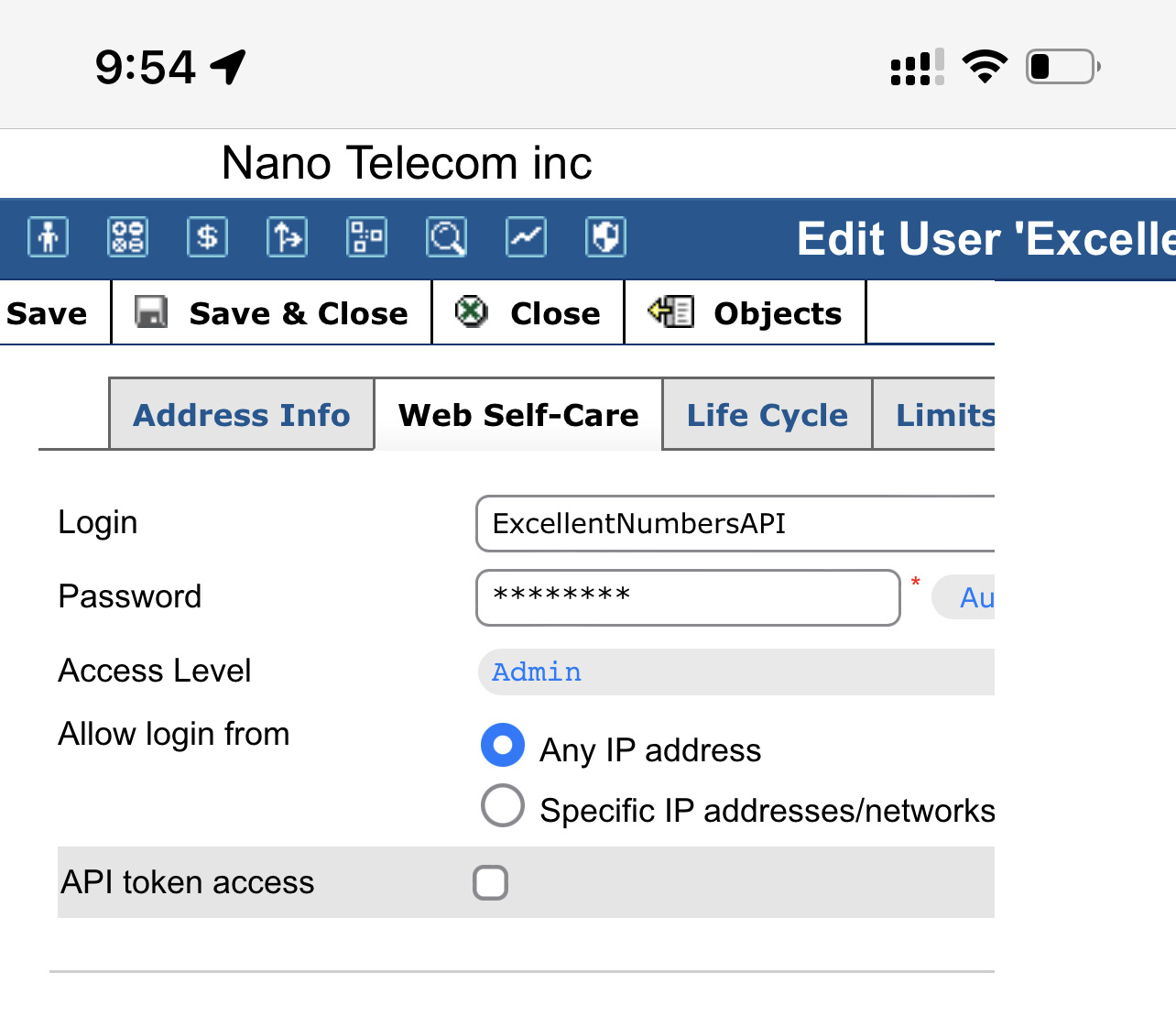
Once this task completed we believe our Token connectivity will bring more reliability for our EN – Telinta stable communication.
Generating Numbers Pricelist
Generating Numbers Price List
On EN View Price Rules please create a button next to Delete Selected button “Search” when clicked it should open an input field where we can input numbers list (10 digit format 2346322637 ) one number per line then click “start” button so our EN could generate a table with all numbers prices for all the numbers list requested. It should process up to 2000 numbers in a section.
Once this numbers processed it should generate a table with all the prices standing next to each number and we could export this table to an CVS file.
Please see this video for more details.
Products Search Improvement
Products Search Improvement
Back end EN products area has got a great search that helps us to find products we need by SKU, any number including sold numbers so it is very important to not break its original search as it works very good.
In this task we would like you to add an additional filter column “Date” currently unavailable however when we open product page the numbers beeing sorted by the date from latest to oldest and this is good but there is no “Date” filter present on the page please position “Date” filter right after number column.
My Numbers Page Search
My Numbers Page Search
Please moderate My Numbers page search, so all the site users could find their numbers by hitting various numbers combination. Currently the numbers can be found if only if we input digest with their brackets ‘(XXX) XX-XXX’ so this search feature has to be improved and allow the site member finding numbers in any formats with and without following characters: – “(“, “)”,”-“,”A”,”B”, “C”,…etc.
“Pending Activation” Numbers
“Pending Activation” – Numbers
Currently all our Pending Activation numbers that are Pending Payment is not visible for our customers and this is right so our customers could not activate these number until full payment received.
In this task please allow all Pending Activation Numbers that have Pending Payment status visible for the site admin only.
Please note such Pending Activation Numbers that have Pending Payment status must be still invisible for the rest of the site users as it is now.
“Pending Activation” Page
“Pending Activation” – Page
Port Out Auto Approve / Additional Task
Our port out auto approved task needs to be upgraded. Please review our previously completed task on this job page
——————————————————————–
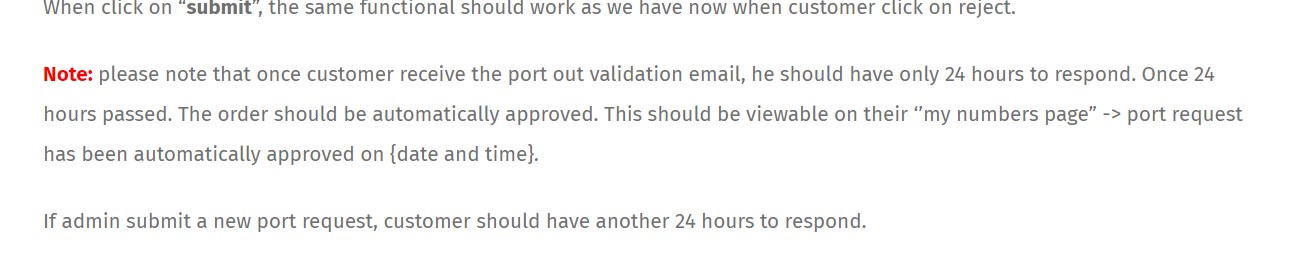
in this task please ensure that notification email goes to the site admin about all auto approved orders. Currently we do not receive any. However we do receive port authorized notification if admin / client does it manually.
Please enable the system to sent same notifications to the site admin once it auto approves in 24 hours with its auto approved date and time. Such notification should have a title and message notifying both site admin and its order client about automatically approval, so all the site participants got recognized that it has happened automatically after 24 hours.
In my numbers page we can see that number has been automatically approved with its date and time but when we click on the VIEW red button this information is missing please ensure that Automatically Approved information is available on Pending Port Out Validation page under Status and Date/Time column as well.
Also please display auto approve information in the order notes area indicated on the screen shot below:
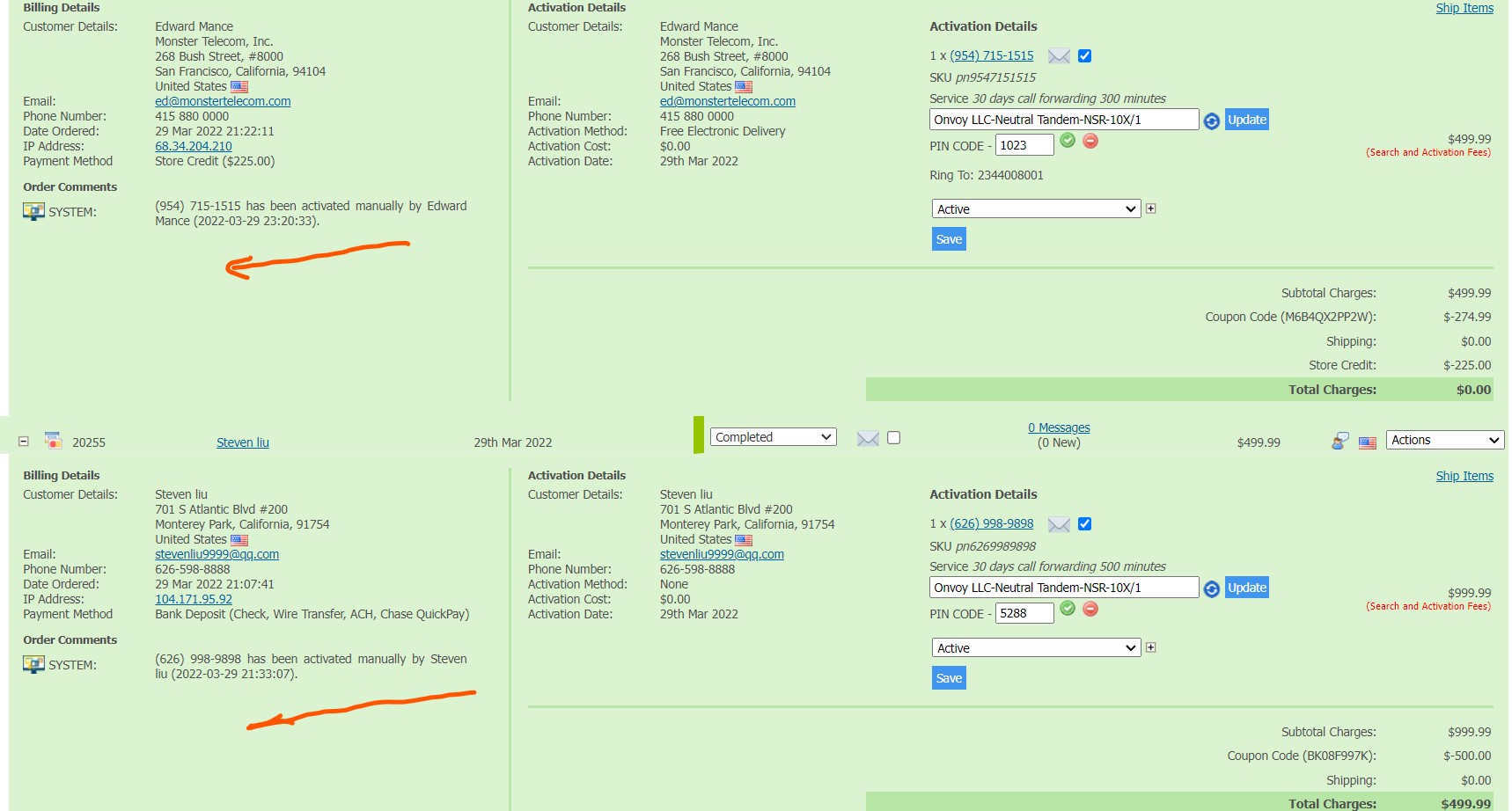
the message should say that this order port has been automatically authorized date and time. Please make this message looking nicely formatted and positioned in the order area above. Feel free to put a little graphic icon to match the site design and style.
Both auto authorized time and date should match Eastern Standard Time.
Notes: please make sure all work must be done on both desktop site and mobile. Also please test all tasks before reporting completion.
Good luck !



Leave A Comment