
Home › Forums › EN Developing › Mobile View › Reply To: Mobile View

Hello Nishit thank you for your updates,
A. on your video i noted that the top banner says Designed for personal and business use – please only leave Personal and Business Use please remove designed for:).
B. Also EN admin says that Newly Registered customers can see the prices on EN site could you please ensure that the following default settings are met:
The prices on Excellent Numbers should be visable for the following groups:
New Customers – Do NOT allow to see the prices.
Approved Customers – allowed
Resellers – Allowed
Banned Group – NOT allowed
Wholesale customers – Allowed
C. Please see stripe icon looks squeezed could you please make it looking neet!
https://webmaklay.com/wp-content/uploads/2026/11/stripe.jpg
Also on the footer we can see Prices in USD please change Fees are in USD
D. for #16773 – Explained.
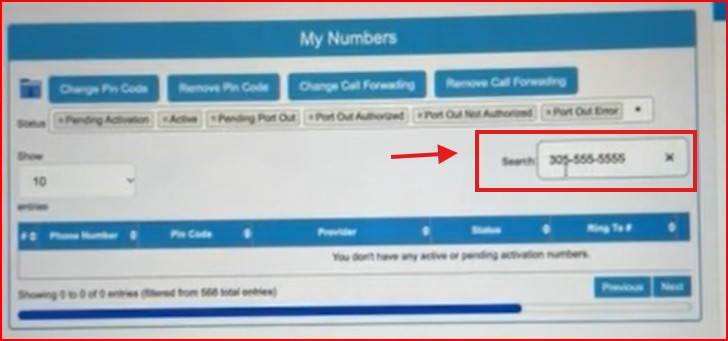
1. In search box please display a number example as a holder text for this field so customer can see what is this for and what to search and how;) Please make the holder number text light grey font so it can be visable as a field holder text.https://webmaklay.com/wp-content/uploads/2026/11/search.jpg
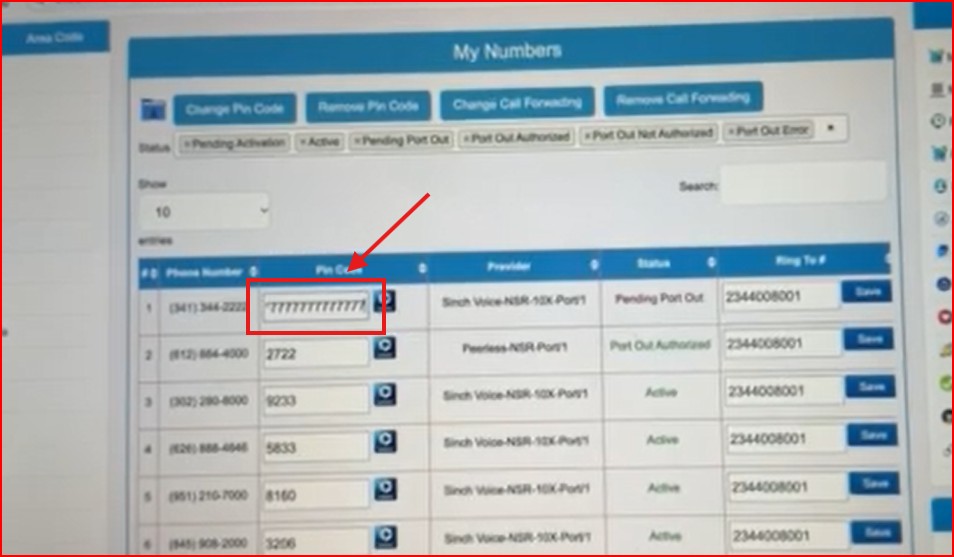
2. In pin code field customers can put as many numbers as they want and it allows them to type. We understnad that when they press the button the hint text will say that it is not allowed but EN admin do not like it and they want restrict even characters input from 4 to 8 digts if customer input less of more the system should not allow them to input and display the hover text that pin code can be only be between 4 and 8 digits! This is the pin code number incrsease. So En customers can set up a pin number from 4 to 8 digits only. https://webmaklay.com/wp-content/uploads/2026/11/pincodemanycharachers.jpg Before the maximum was 4 i think.
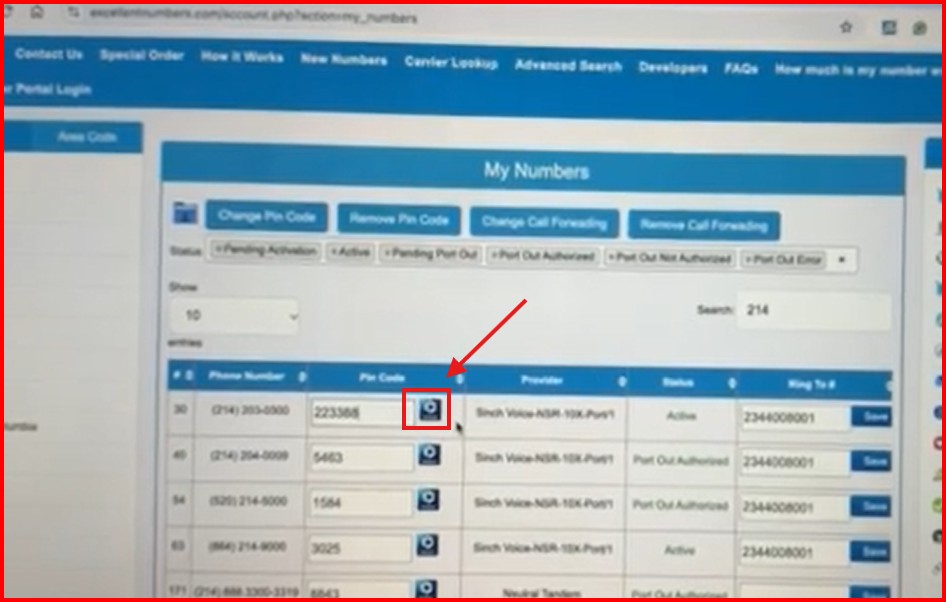
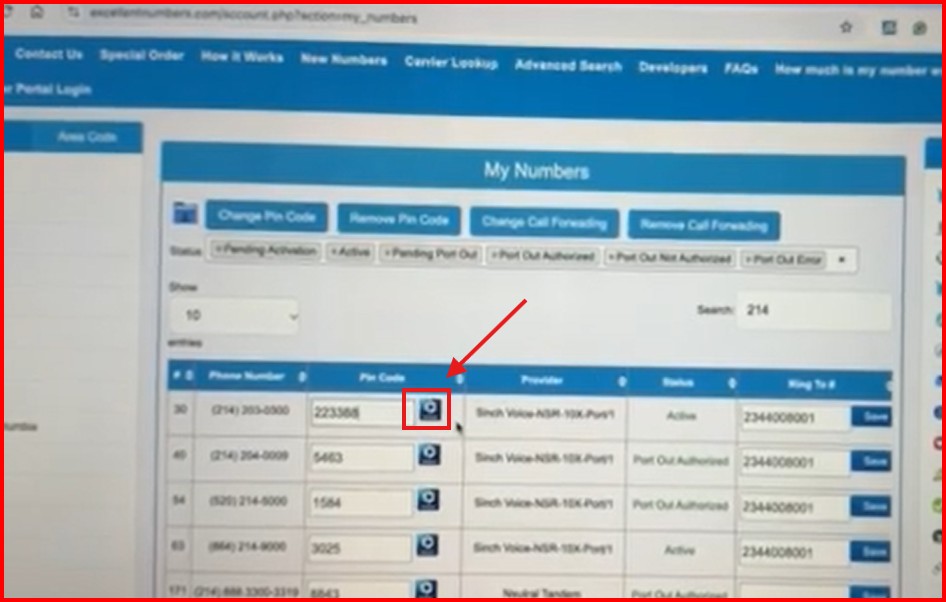
3.Please change the pincode updated button for save or somthing better as the old button looks outdated.https://webmaklay.com/wp-content/uploads/2026/11/btnpin.jpg
4.When clciked button change PinCode there is a pop up that missing X close popup icon it has been hapening very often
https://webmaklay.com/wp-content/uploads/2026/11/popup.jpg. On the pop up there are already options Yes or No Cancell then why we need the X icon then please check?
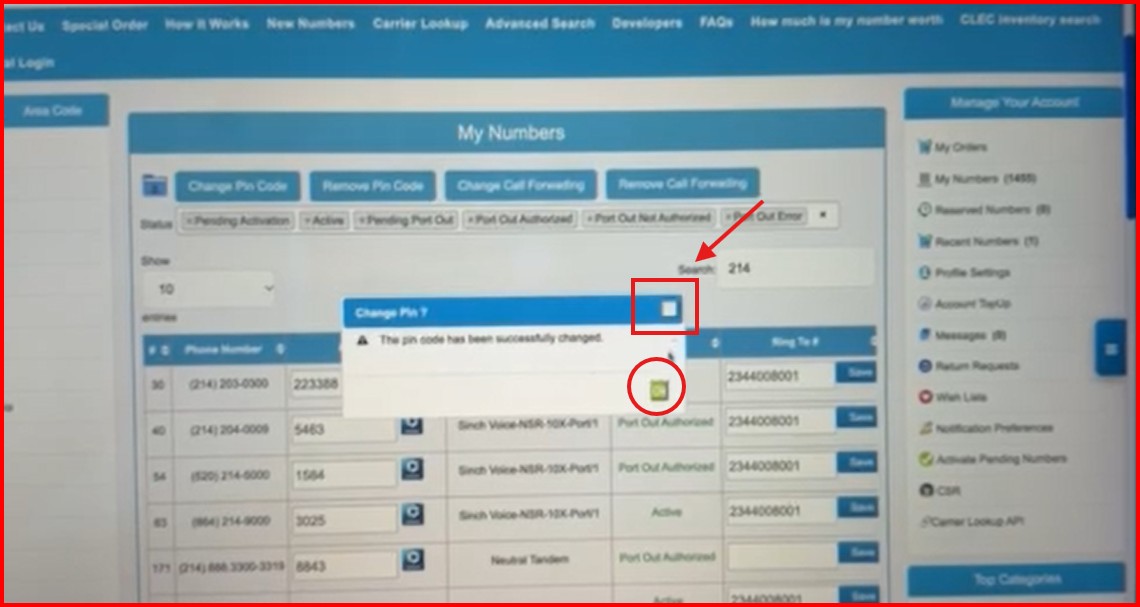
5. Same for the next pop up the X close popup icon is missing but there is an option that says ok. If click ok the popup can close and we may do not need the X icon which is always got missing 😉 https://webmaklay.com/wp-content/uploads/2026/11/nextpopup.jpg
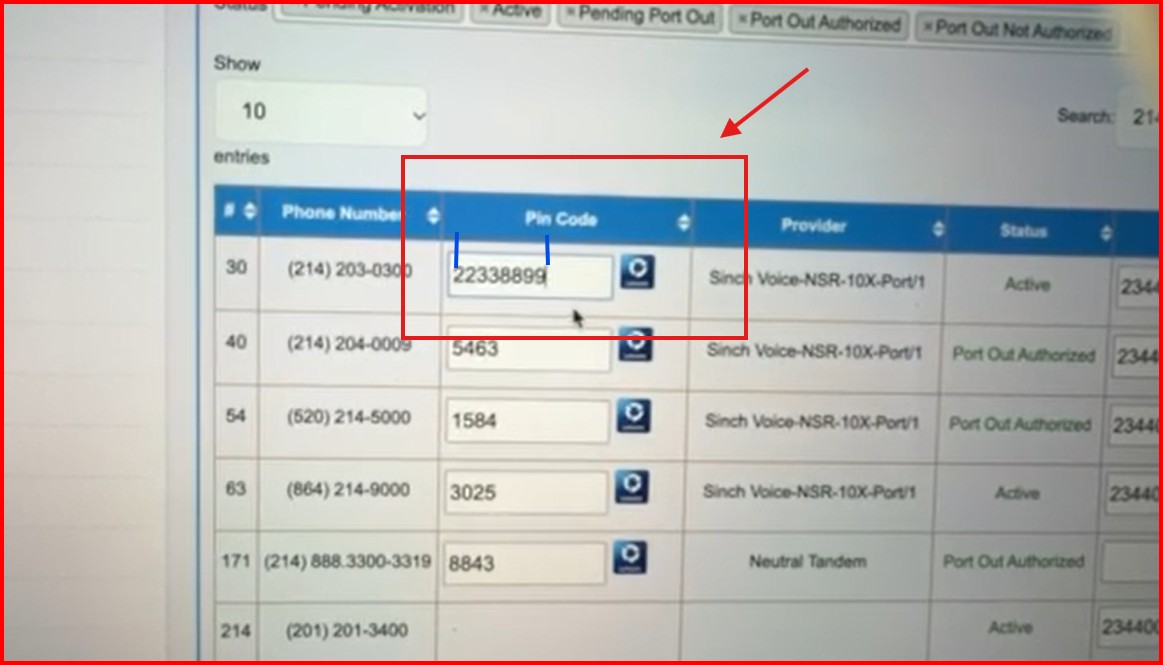
6. Also see how much space we use on the site wich is not optimized. Please see the PinCode change field – it is to long and we can fit more than 11 gigits number which we do not need. If the max PinCode now 8 digits then see the blue marks how long the PinCode field should bee and the rest of the white empty field not even being used, this makes our column wide and all the table bigger. This is how we should use the page rationaly smart and compact accross the EN project. Please make the field shorte just enough for 8 digits pincode screen shot attached. Also please review mobile view if the mobile view rationaly used too. https://webmaklay.com/wp-content/uploads/2026/11/compact-1.jpg
Thank you